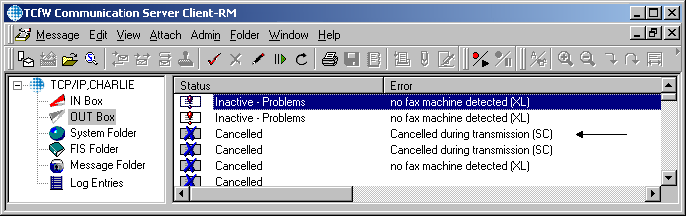
Outbox
The Outbox shows all messages you sent. For each recipient of a message, one entry line is created in the Outbox. This entry shows, among other things, the Status of delivery. Entries can be categorized as Active, Inactive, or Marked Completed. Active means the message is in process of being sent. Inactive means the message couldn't be sent due to problems. Marked Completed include messages sent successfully as well as those cancelled by the user.
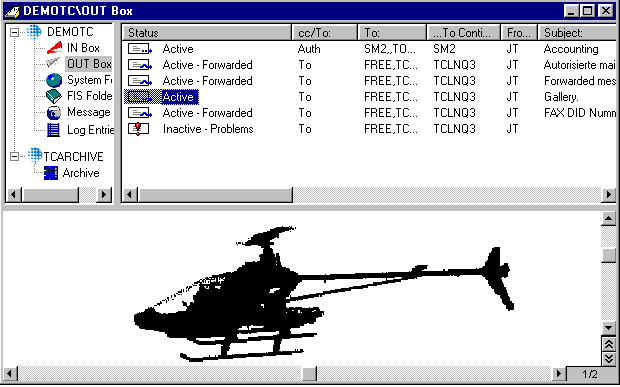
As long as a message has not been sent, its entry is not marked completed and can therefore not be deleted automatically. After successful sending or manual cancellation, the message is Marked Completed and subsequently deleted automatically over time as new messages arrive.
If a message could not be sent successfully, you have to intervene with the following options:
-
Click the Cancel Mess. button to deactivate the send order.
-
Click the Reactivate button to reset the sending attempts.
-
Click the Correct button. This opens the Recipient window in which you can correct the address.
-
Click the Send button to resend a message.
It is also possible to cancel (mark completed – i.e. the check mark icon on the toolbar) a message, which is in Sending status. This will immediately terminate sending of the message, and set the message to cancel.
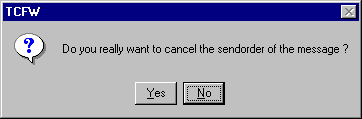
A window will warn you that you are about to cancel an outbound transmission. If you click the Yes button, the outbound transmission is cancelled.
The status of messages in the Outbox, which are cancelled during transmission, are displayed with: (See Status)
| Status | Error Code |
|---|---|

|
Cancelled |
| SC | Cancelled during transmission |