
Fax Machine
Follow these steps to scan a document with a fax machine:
- Select Scan from the Attach menu.
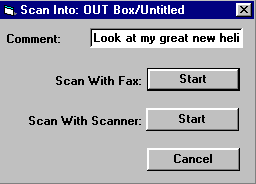
- Enter a comment in the Comment field (optional).
- Select Start next to Scan With Fax.
- Write down the number displayed in the Scan Into window.
- From a fax machine, send the document to this number.
The scanned document will automatically appear as an attachment to your message.
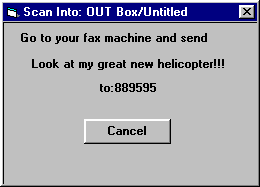
Use your fax machine to send the fax to the number 88 followed by your access number and your access password. If your access number is 45 and your access password is 81 you would send the fax to the number: 884581.
If you don’t know your access number and password ask the administrator or check the Manual Fax area in your User Profile in the Admin menu.