
Proxy Address View
To open this window select User Profiles in the Admin menu and select Address View from the drop down list. Proxy addresses are the combination of all active and inactive addresses specified for a user. The ability to list users by proxy address simplifies administration of DID numbers by providing one overview of all assigned numbers. The view allows filtering on service and address, allowing only a specific set of users to be listed.
As a User Profile may contain multiple addresses, multiple entries in the Address View list may point to the same user profile.
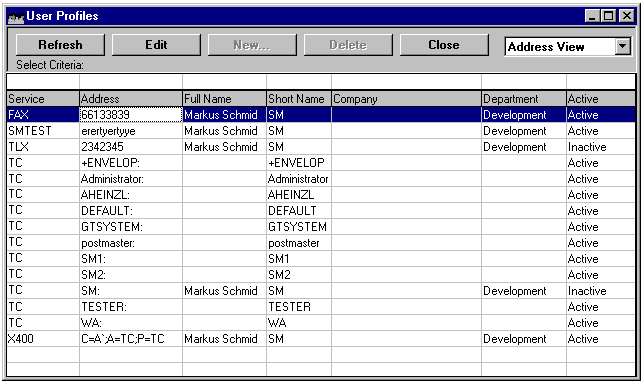
An entry opened from Address View shows the address properties by default. After editing the addresses of a user, the list view must be refreshed manually to reflect the changes. The Address View provides full filtering on all columns except Active. The Delete and New buttons are not available in this view.