
Resubmitting Messages
Resubmitting is used to resend an already received message again with a time delay.
Follow these steps to resubmit a message:
- Open the message from the inbox by double-clicking its entry in the Inbox list.
-
Click the
Message menu and then
click
Resubmit. A new window opens
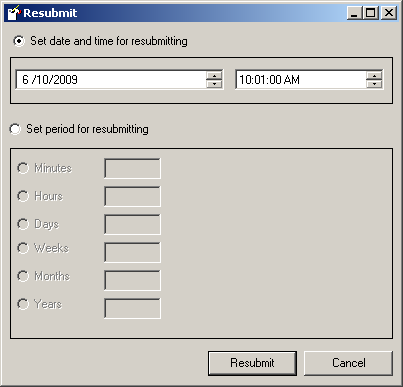
- Select either date and time or a period for resubmitting
- Click the Resubmit button to resubmit the message.