
Save As
The Save As command allows you to permanently store a message in a folder on the Kofax Communication Server.
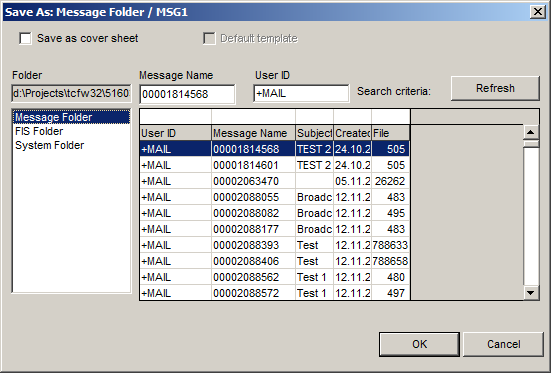
The following options are available in the Save As window:
- Message Name
-
Enter a name for the message. You can also copy and paste a name in the Message Name field. Maximum length for a message name is 12 characters.
- Save as Cover Sheet
-
Activate this to store your message as a cover sheet. Cover sheets automatically have the extension CVR.
Note Merge values work only in cover sheets. - Default Template
-
When you click the New button, the default template is used. To change templates, you have to select New Select Template from the Message menu to open the Select Template window. Any document you select from here is used as a template for all subsequent messages until you change the default again. The caption “Untitled” appears at the top of the message. (See also Using Default Templates.)
- Message List
-
This contains a list of messages. Double-click an entry in this list to select it and close the window. Click an entry once to display information about the file or message in the fields above the list.