Administrate accounts
The account administration area can be accessed by clicking Administration in the application header and is only available to users with the corresponding access rights.
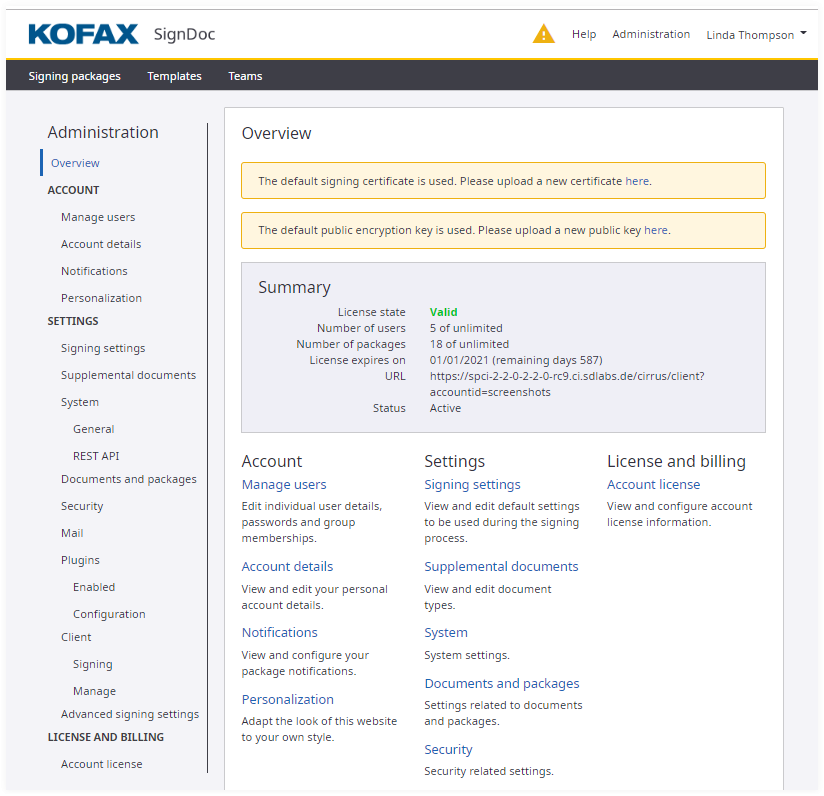
The Overview page contains the following sections:
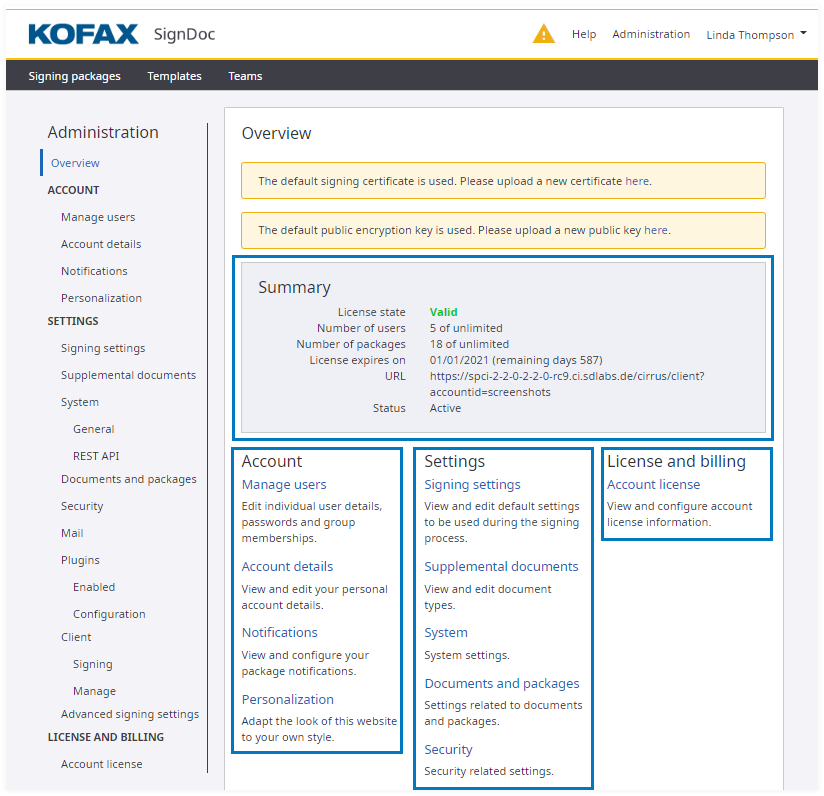
Summary dashboard
A dashboard provides you with a summary overview of information that is relevant for the account.
If an account license is used the following information is presented:
| Item | Description |
|---|---|
| License state | Specifies whether or not the currently installed account license is valid. |
| Number of users | Displays both the number of users that have been created within this account, as well as the maximum number of users that are permitted for this account based on the current license. |
| Number of signing packages | Displays both the number of signing packages that have been created within this account, as well as the maximum number of signing packages that are permitted for this account based on the current license. |
| License expires on | Displays the date on which the current license will expire, as well as the number of days left before the expiry. After the license is expired, the system can no longer be fully used. |
| URL | Displays the URL for direct access to this specific SignDoc Standard account. |
| Status | Displays the status of this account. Specifically, it displays whether or not the account is active or has been suspended. |
Account section
This section contains links to settings pages that are specific to configuring the account settings for this account. The options include:
| Item | Description |
|---|---|
| Manage users | Edit individual user details, passwords and groups membership. |
| Account details | View and edit your personal account details. |
| Notifications | View and configure your package notifications. |
| Personalization | Adapt the look of SignDoc Standard to your own style. |
Settings section
| Item | Description |
|---|---|
| Signing settings | View and edit default settings to be used during the signing process. |
| Supplemental documents | View and edit document types. |
| Documents and packages | Settings related to documents and packages. |
| System | System settings. |
| Security | Security settings. |
| Mail related settings | |
| Plugins | Settings related to plugins. |
| Advanced signing settings | Advanced settings related to the signing process. |
| Client | Client related settings. |
License and billing section
This is a section of links to settings pages that are specific to configuring licensing and billing options for this account. Currently, the only option available is the Account license option:
| Item | Description |
|---|---|
| Account license | View and configure account license information. |
Clicking any of the blue links in the Account section will lead you to a further page that will allow you to perform the configuration of a particular type of account settings.