Search and list signing packages
Search for signing packages
A user can filter available signing packages with the following parameters:
- Search text of the signing package name or description
- Signing package ownership (me/my teams)
- Signing package states
- Date range by specified signing package’s date
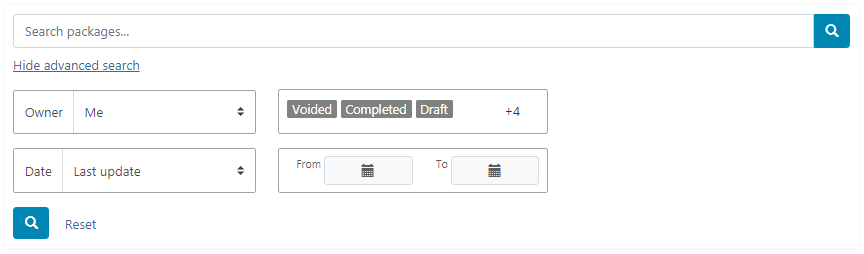
Filter parameters are applied when the search icon is clicked.
By default the advanced search panel is hidden. The signing packages list contains signing packages created by the authenticated user, with any state except for archived, for the whole period.
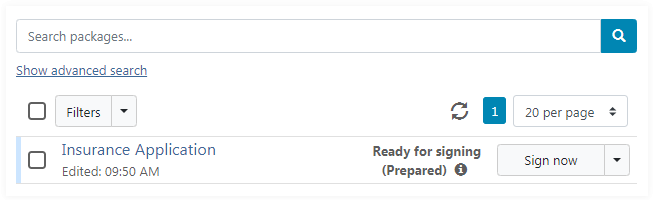
When the advanced search panel is hidden, an additional drop-down control is displayed with a simplified filter panel:
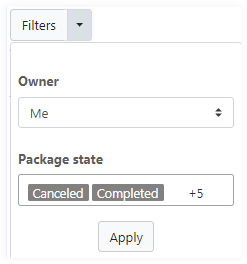
In case filter parameters are set and the advanced search panel is hidden, a contextual message is displayed with current parameters and a button to reset filters:

Search text
Search text is intended for filtering of signing packages by name or description.
Package ownership
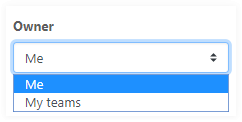
Using the drop-down control a user can choose to display either signing packages created by himself or by members of teams, in which the user is a member also.
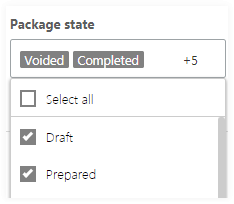
Package states
The multi-select dropdown control allows to select one or more required signing packages states.
- Draft
- Prepared
- Started
- Completed
- Declined
- Expired
- Voided
- Archived
Date range
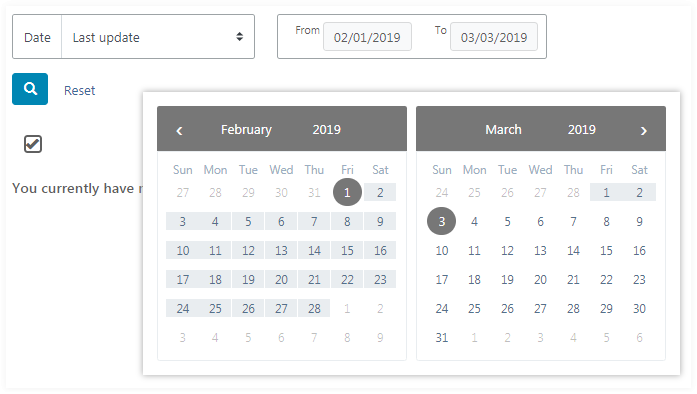
The group of controls is intended for filtering signing packages by a specified date range with a selected signing package date:
- Creation
- Last update
- Completion
- Start
- Expiration
The date-range picker allows to select required date range easily.
Refresh the list of signing packages
Click the refresh icon
 to refresh the currently displayed list of signing packages and their
states.
to refresh the currently displayed list of signing packages and their
states.