Supplemental documents
For some services such as consumer loan applications, signers are required to upload supplemental documents during the signing process. Examples of such documents are scans of ID documents (driver's license, photo ID), proof of residence, or proof of income (pay slip).
The list of documents that have to be supplied is visible on the Review & Sign page below the list of documents which have to be signed or reviewed. The name and description of the supplemental documents are displayed using the current signer language. If there is no translation for the document type it is displayed in English language. If English locale translation is not defined then the default description will be used.
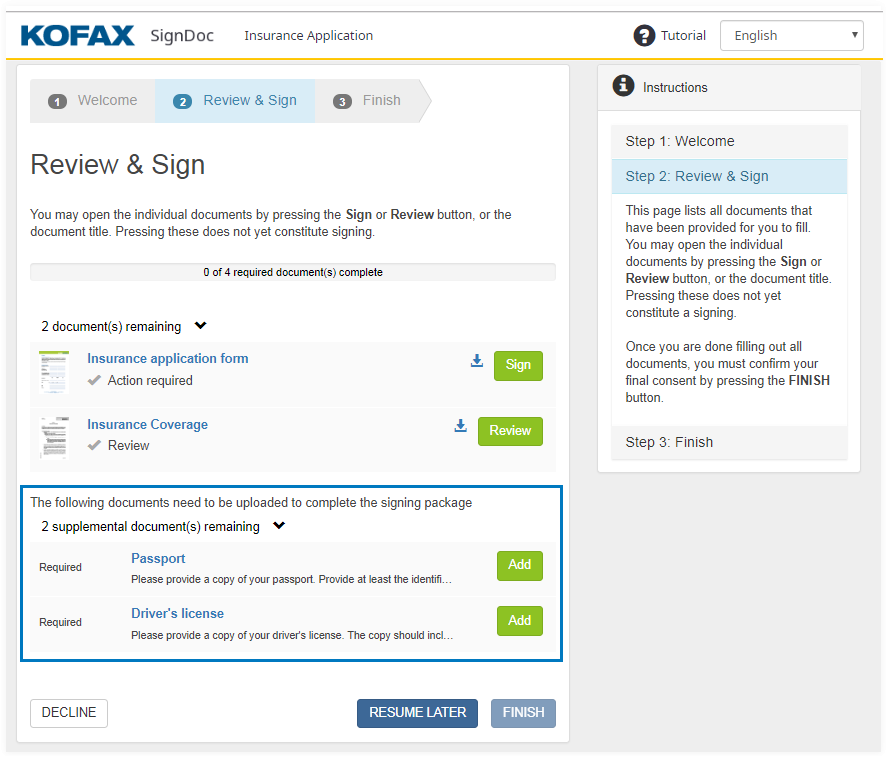
By clicking Add or the title of the document a dialog is opened in which the signer can upload files in one of the following formats: PDF, MS Word, as well as images in the formats JPEG and PNG.
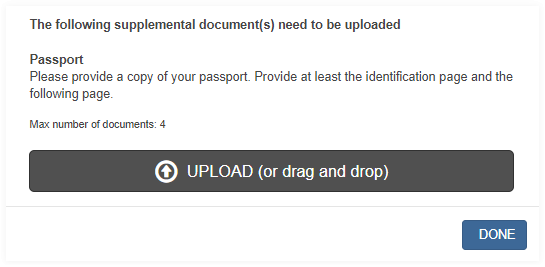
Clicking UPLOAD opens a native browser file dialog in which the signer can select the files he wants to upload. In addition files can also be uploaded by drag & drop them over the dialog.
Once finished the dialog can be closed by clicking DONE.
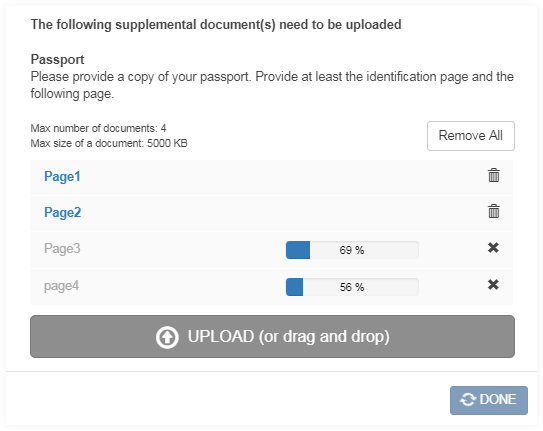
Uploaded files can be viewed as PDF by clicking their name. Depending on the browser the PDF is opened in a new browser tab or can be downloaded to the file system.
Each uploaded file can also be removed by clicking its corresponding delete icon
 . By clicking
Remove All it is possible to remove all uploaded files at once.
. By clicking
Remove All it is possible to remove all uploaded files at once.
During the upload it is possible to cancel it via the corresponding cancel icon.
As long as an upload or remove action is processing the DONE button is disabled.
After the signer has uploaded the maximum number of allowed documents the UPLOAD button is disabled.
After clicking DONE the signer sees the Review & Sign page with updated document status.
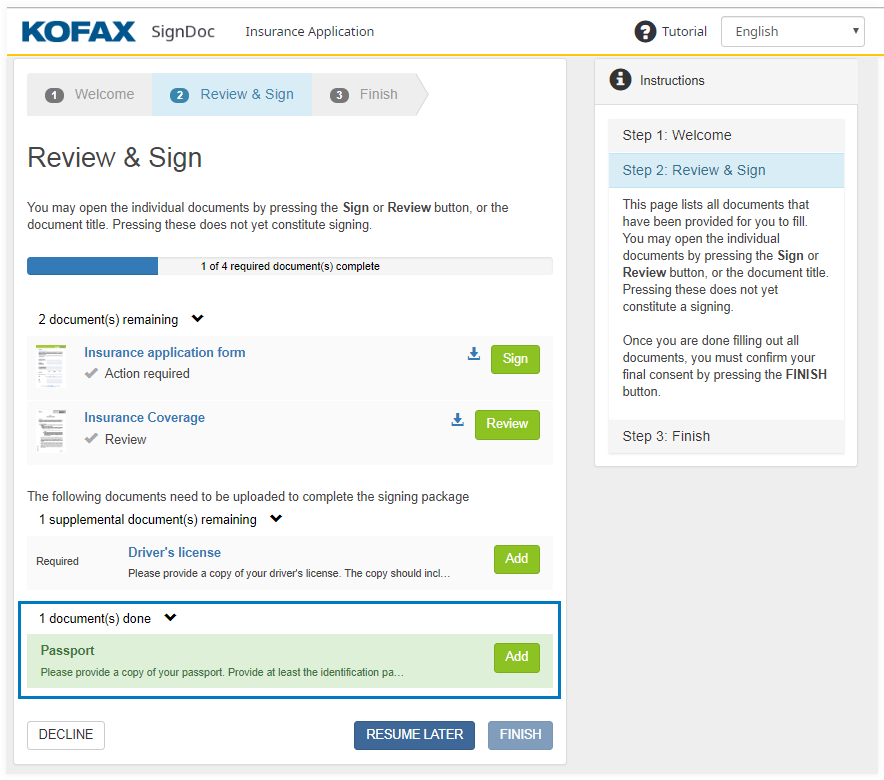
Once all required supplemental documents are provided and all documents of the signing package are completed the FINISH action is available for the signer.