TSP signature
A trust service provider (TSP) is a legal entity providing and preserving digital certificates to create and validate electronic signatures and to authenticate their signatories. The trust service provider has the responsibility to assure the integrity of electronic identification for signatories.
A TSP signature can be defined through the REST API for every recipient per document. It is not possible to define TSP signature via user interface but it is possible to see when TSP signature is required by a recipient in the signing package wizard and on Signing packages page.
- Advanced recipient settings page of the signing package wizard:
The TSP signature label in Certificates tab indicates if and what type of TSP signature the recipient is requested to sign a document with.
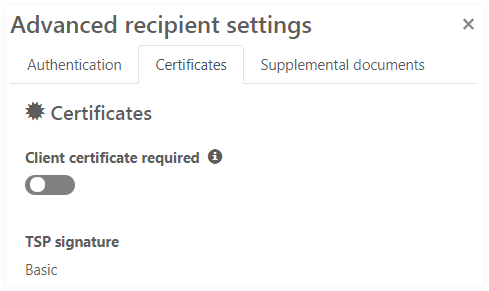 Note The available types of a TSP signature are related to the corresponding TSP signature provider which is used in the system.
If the label says Not required no TSP signature is required for the recipient.
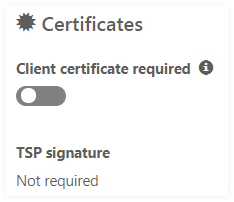
- Signing packages page:
The TSP icon is visible if at least one signer has to sign at least one document with a TSP signature.

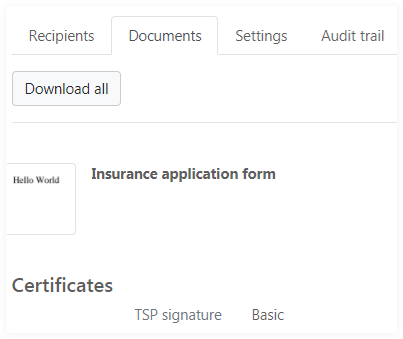
- Signing package details view:
In case a TSP Signature is required its type is shown in the Recipients section.

In the Documents section, it is shown that the document has to be signed with TSP signature.
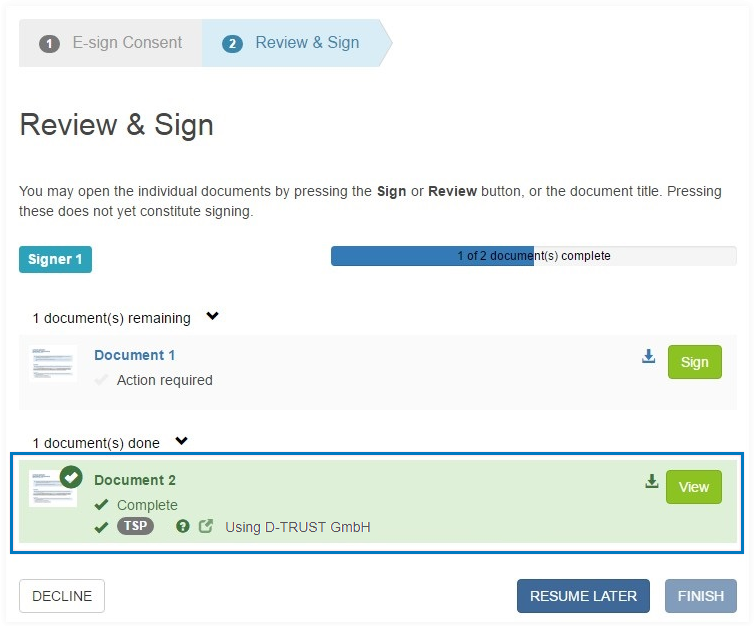
On the signing process the recipient can see when the TSP signature is required.
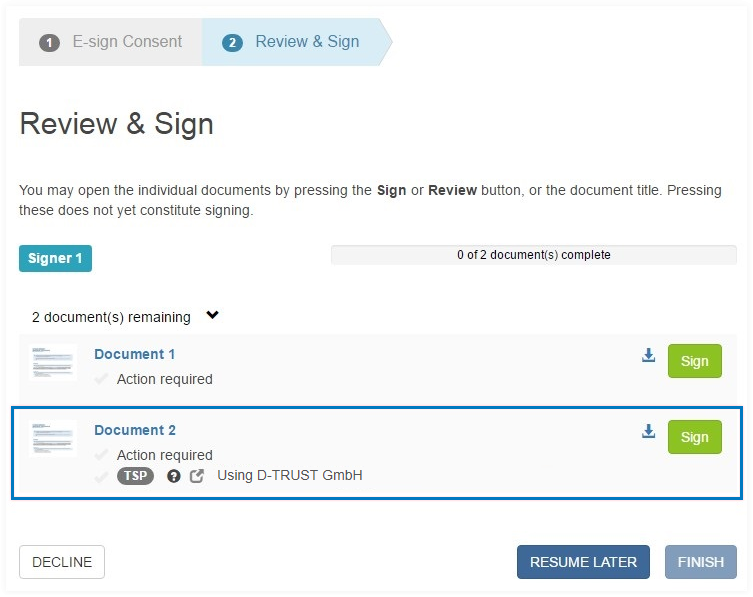
To proceed to TSP signature process all the required fields must be completed.
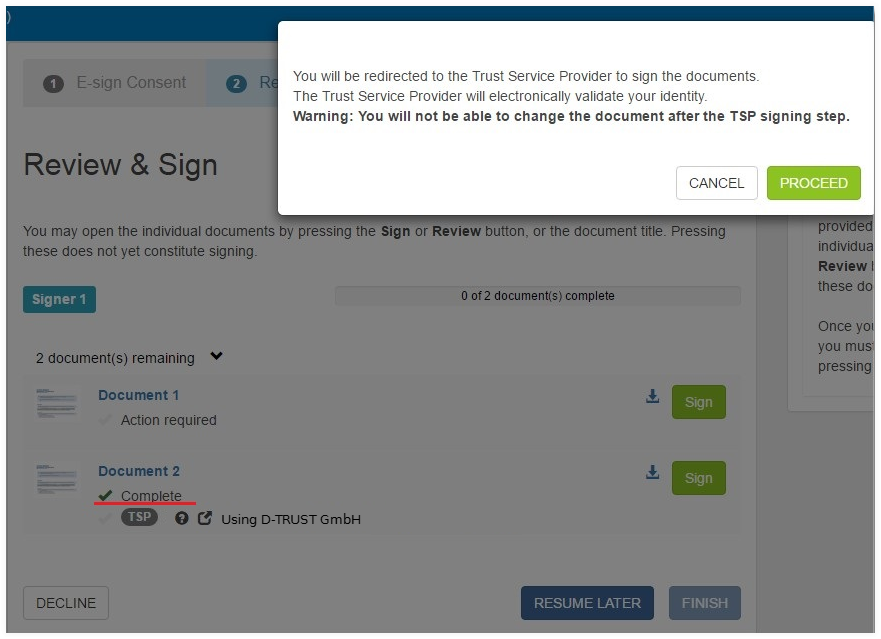
Complete all required fields and return to the documents list. A dialog with TSP information is displayed. Clicking PROCEED will redirect the browser to the TSP website to complete the TSP signing process.
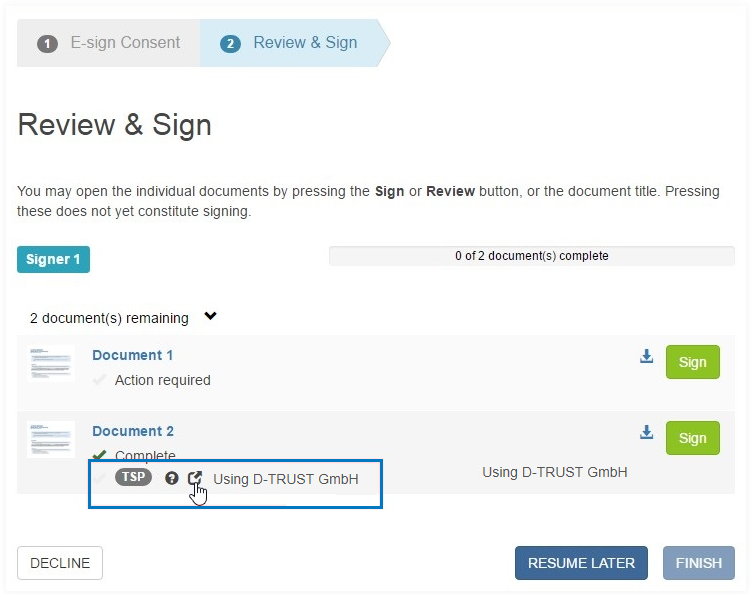
To reopen the TSP dialog and initiate the TSP signing process click the reopen icon
 .
.
The document is not finished until the TSP signature is completed.
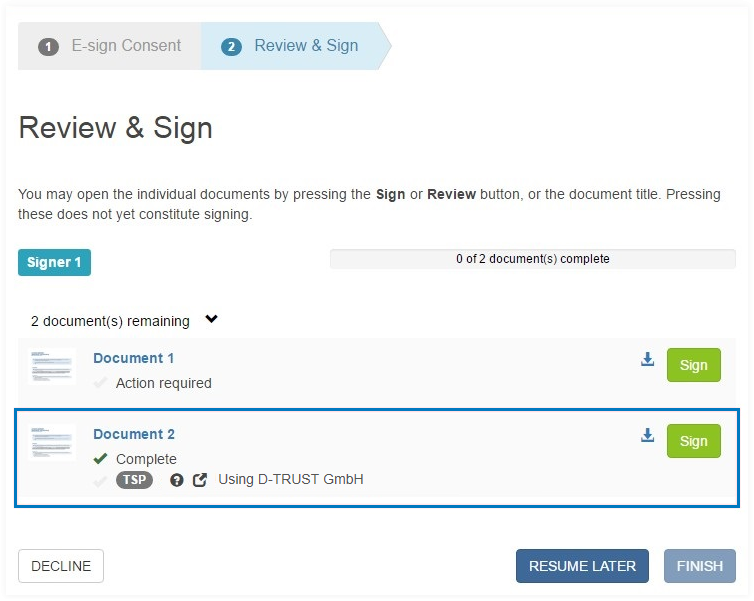
After the TSP signature is completed the document is set to read only mode, none of the fields can be changed.