
Configure WebDAV to use SSL
- Open a web browser and log on to the MFP as an administrator.
-
On the Network tab, select
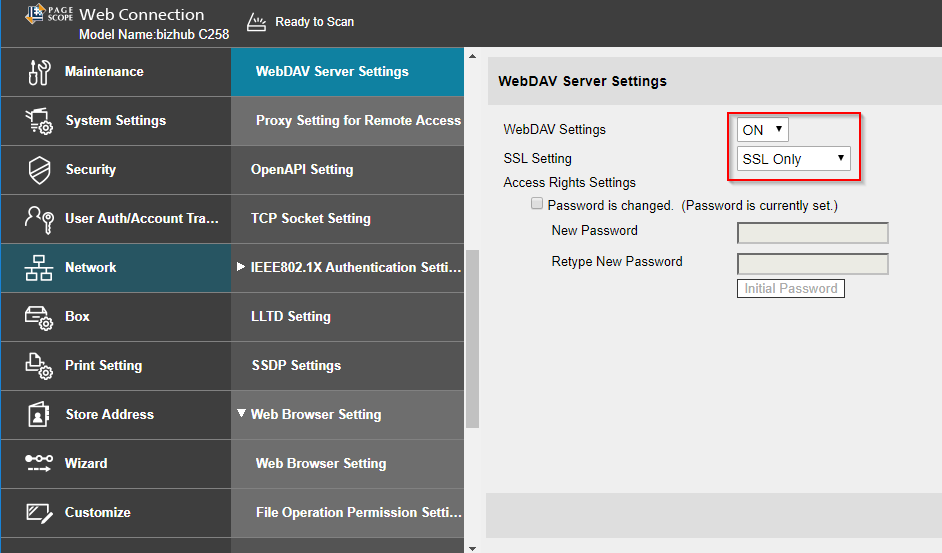
- Select ON from the WebDAV Settings list.
- Select SSL Only from the SSL Setting list.
- Press OK.