
Printix Go
Printix Go is enabled for all
Since 6 July 2022, Printix Go has been enabled for all existing and new tenants. It is therefore no longer necessary to become authorized to enable Printix Go for your tenants and resellers.
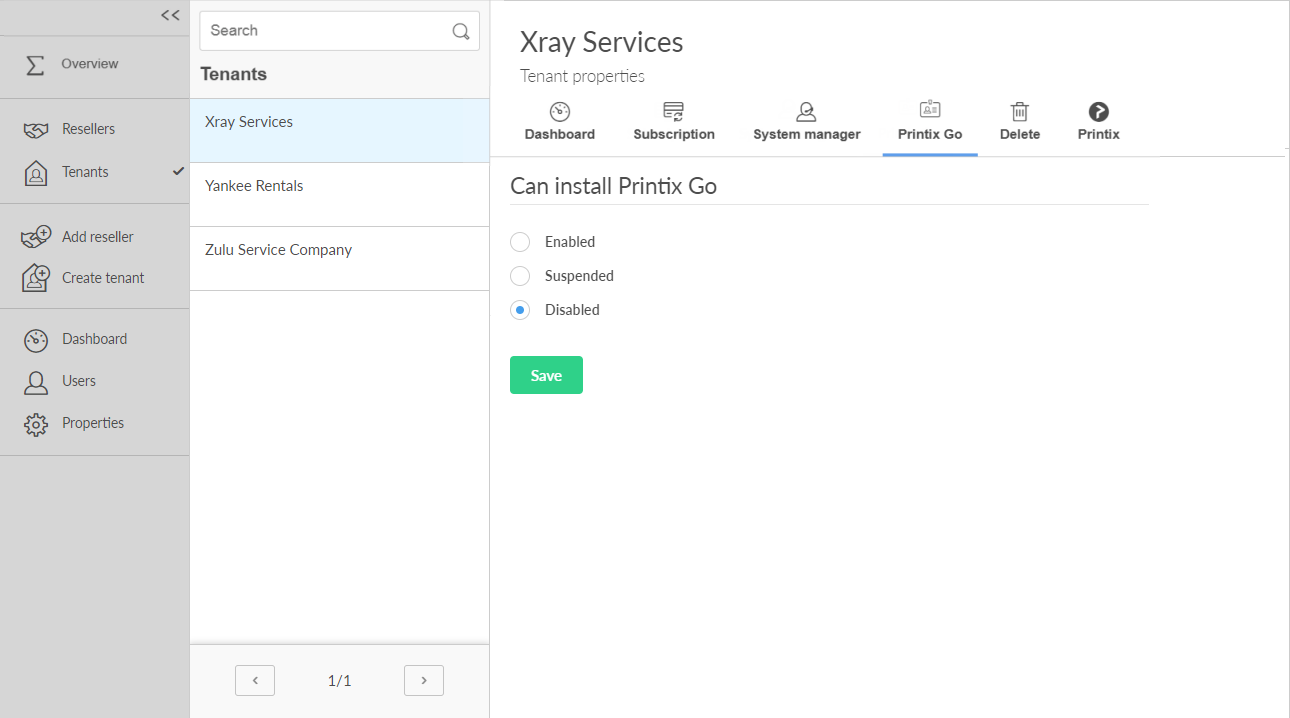
On the Printix Go tab, you can enable the installation of Printix Go for the tenant.
The Sign in profile you create to install Printix Go must include the printer administrator username and password.
Can install Printix Go
-
Enabled
Select this to enable the Printix Go tab in Printix Administrator and allow Printix Go to be installed on printers. Printix Go on a printer can only be used with one Printix Home. If multiple companies need to use the same printer, another option could be to add multiple Microsoft Entra directories or multiple Google domains.
-
Suspended
Select this to suspend further installations of Printix Go on printers, and only allow uninstallation on printers. After Printix Go has been uninstalled from printers, you can select Disabled.
-
Disabled
This is the default. In Printix Administrator, the Printix Go tab on the Printer properties page and Settings page will explain that access to Printix Go can be requested.
Require PIN code for sign in with ID code
-
Require PIN code for sign in with ID code
This option is cleared by default. If users are to only enter ID code to sign in to Printix Go enabled printers, then clear this. For security reasons, the corresponding setting cannot be changed in Printix Administrator. Can only be changed if Can install Printix Go is either Enabled or Suspended.