
Release the case definition
Once all activities are configured, release the Incident Case (case definition) process.
Next, you generate a form for the closure task which will be completed by the external user. Continue to Generate a form.
- On the TotalAgility Advanced Studio Home page, navigate to .
- Click Incident Case and on the modeling bar, click Release.
Generate a form
Generate forms for the activities associated with the Incident Case process.
-
On the
TotalAgility Advanced Studio
Home page, navigate to
.
The Forms page appears.
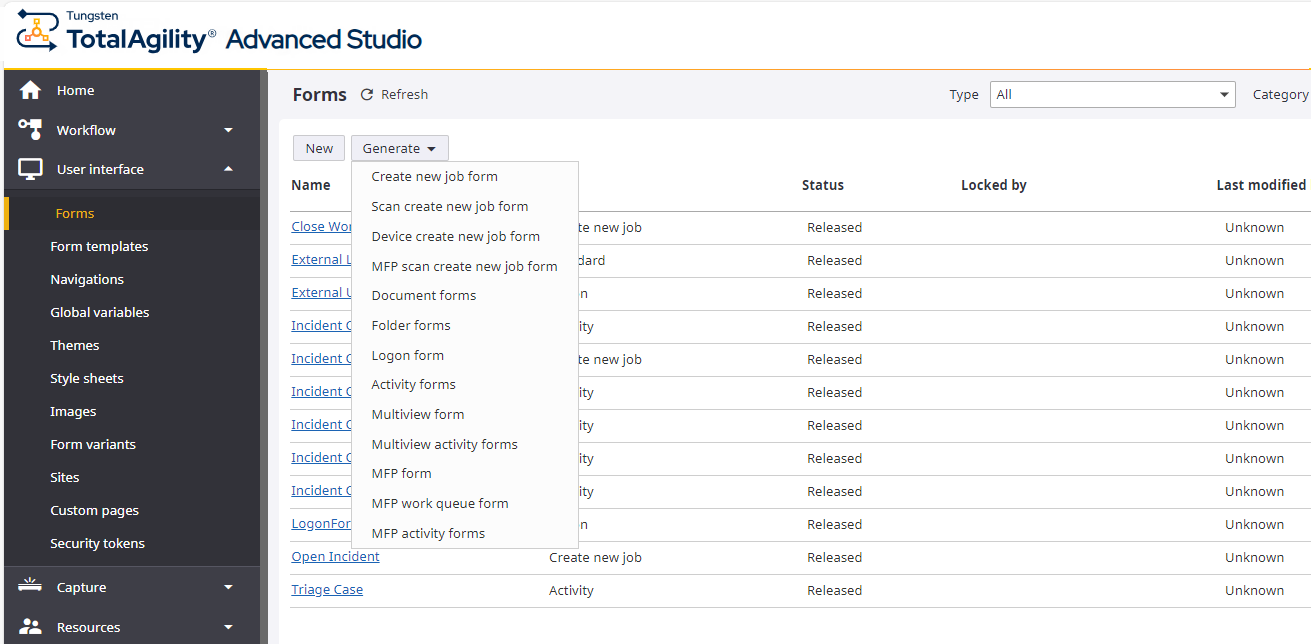
- On the Generate list, select Activity forms.
-
On the
Process list, select
Incident Case.
The Generate activity forms dialog box appears.
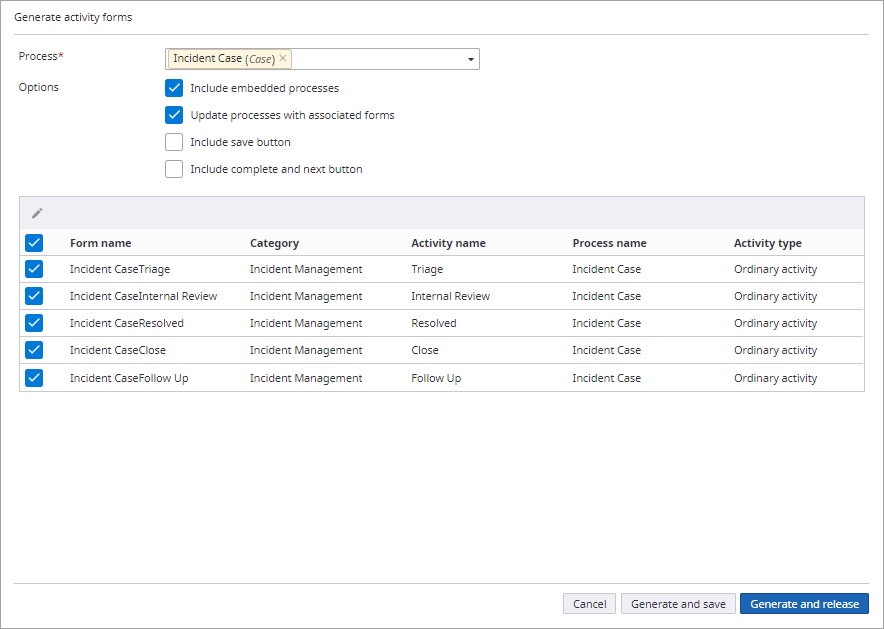
- Ensure that the check boxes for all the forms are selected, and then click Generate and release.