
Set Service Level Agreement
Set SLA markers to help make the case more visible on the job list and work queues if they are close to overrunning or are overrun.
Set the Amber and Red statuses
Set the case to go into amber status two minutes before it is expected to be complete and red after one minute of its completion.
- Click the Time and cost tab on case properties.
- Under Service level agreement, select Amber as SLA status.
- Click .
-
For
Threshold, select
Before and set
Minutes to
2.
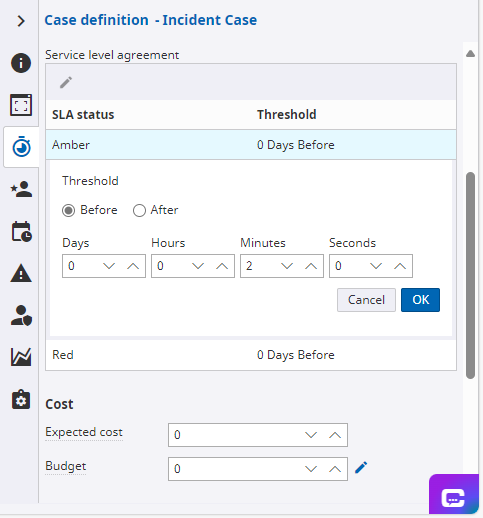
- Click OK to update the setting.
- Similarly, set the case to turn red After 1 Minutes of its completion.