
Configure the general properties of the case
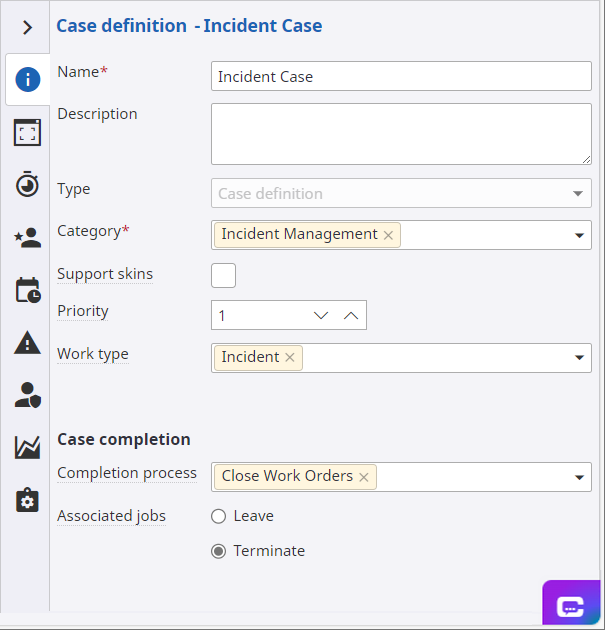
- In the Name box, enter Incident Case as the name.
-
On the
Category list, select
Incident Management.
The category is used to group artifacts together and secure access to groups of artifacts rather than individually.
-
On the
Work type list, select
Incident.
The case variables are added automatically to the process aligned with the work type.
-
Specify the steps to take when the case completes.
-
On the
Completion process list, select
Close Work Orders.
This process was defined in the initial setup. See Create a completion process called Close Work Orders.
- Select Terminate for Associated jobs to terminate any associated jobs that are active at the time of case completion.
Next, define SLAs for the case. Continue to Set the duration or expected finish time of the case.
-
On the
Completion process list, select
Close Work Orders.