
Add an End node
You can add an end node from any of the manual activities.
Procedure
-
Select the manual activity for which to add the End node.
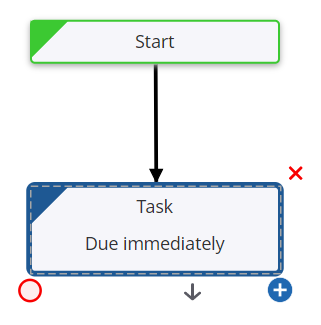
-
On the Satellite, select the End node
 .
.
The end node is added to the selected activity.
- By default, "End" appears as the Title . You can change the name of the node as required.
- In the State field, enter the state to be set when the workflow reaches this point.
- Save the workflow.
More info
-
Configure workflow
-
Update workflow settings
-
Work with workflow elements